Design System
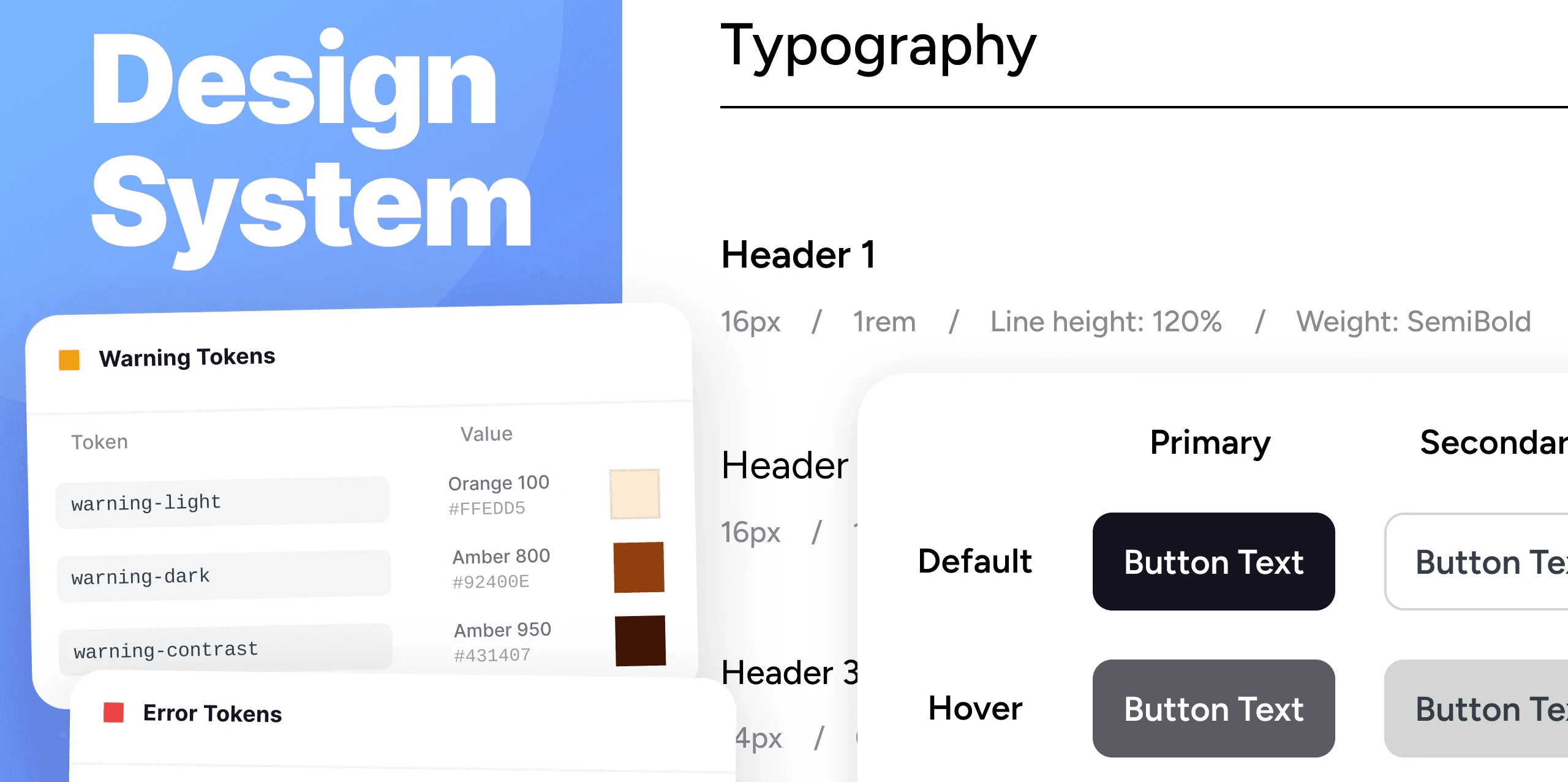
Introduction
When products grow faster than a design process can keep up with, components get reinvented sprint by sprint, developers are forced to make poor judgement calls, and onboarding new members to the team becomes a mess.
I create design systems that are built to scale quickly and remove the frustrations of a growing product held back by dysfunctional design processes. I have worked in multiple settings, refreshing component libraries, documentation sites, and governance models that teams immediately use in production.
Audit and Inventory
Before redesigning the system, I go through the product identifying components, patterns, behaviour, and branding elements that could remain core to the design. I identify current user behaviours when interacting with these components and the risks involved if any of these components changed. This is then audited into priority of what the business requires. I aim to create a solid foundation that could be easily built on as the business grows.
Token Architecture
During a transition of design systems, there is an influx of questions on specific colours and formatting which can slow down development. This naturally leads to the adoption of design tokens. Design tokens are complex, but essential to a business that has multiple product teams and large development goals. I simplify my systems to suit the business in the present, with clear structure that can be built on for when the product scales. I present with designers and main FE developers to show how design tokens work and inform them on how they can best activate the teams who will be using them. Each token describes where and how a colour is used within the components, maintaining a unified visual style across a team's design, code, and collaborative efforts.
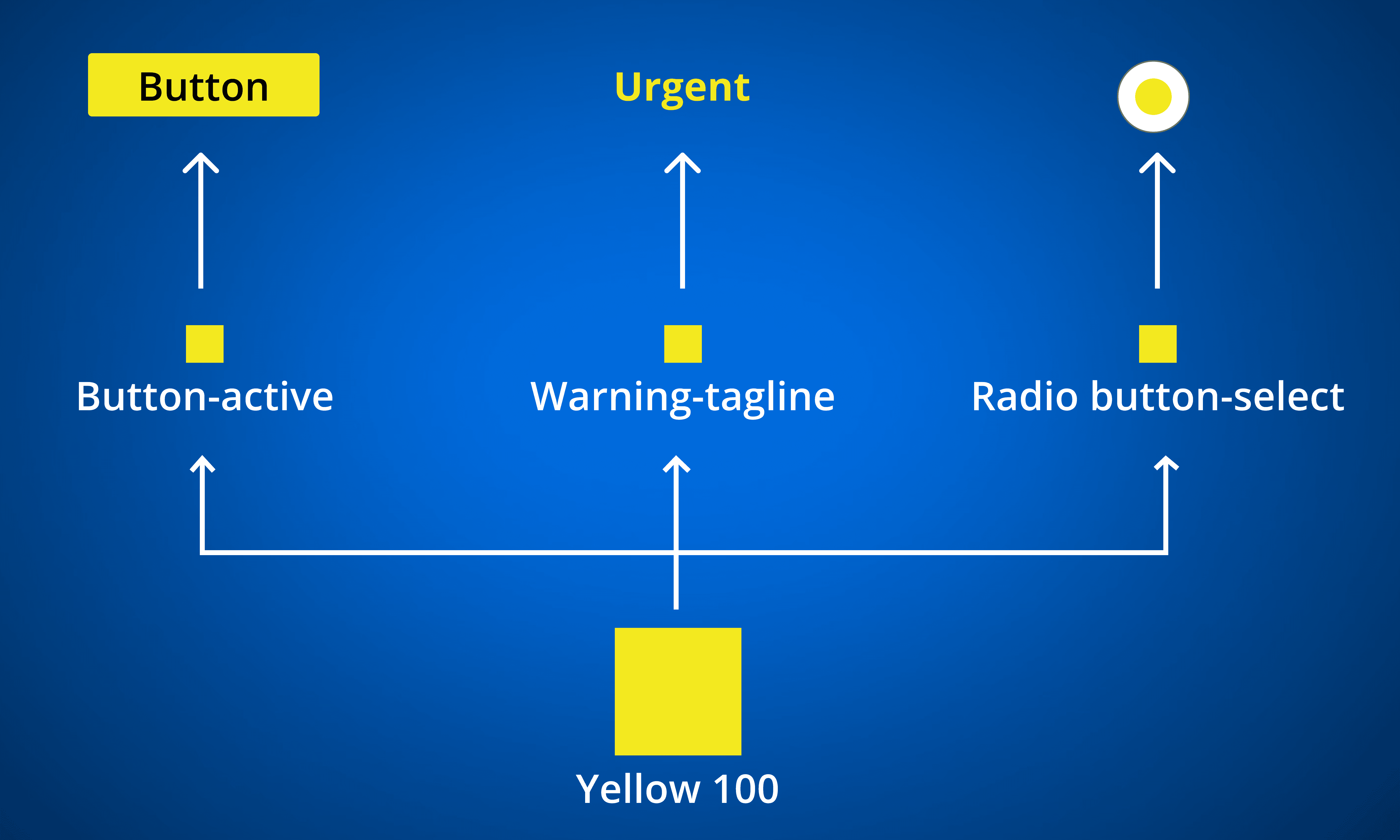
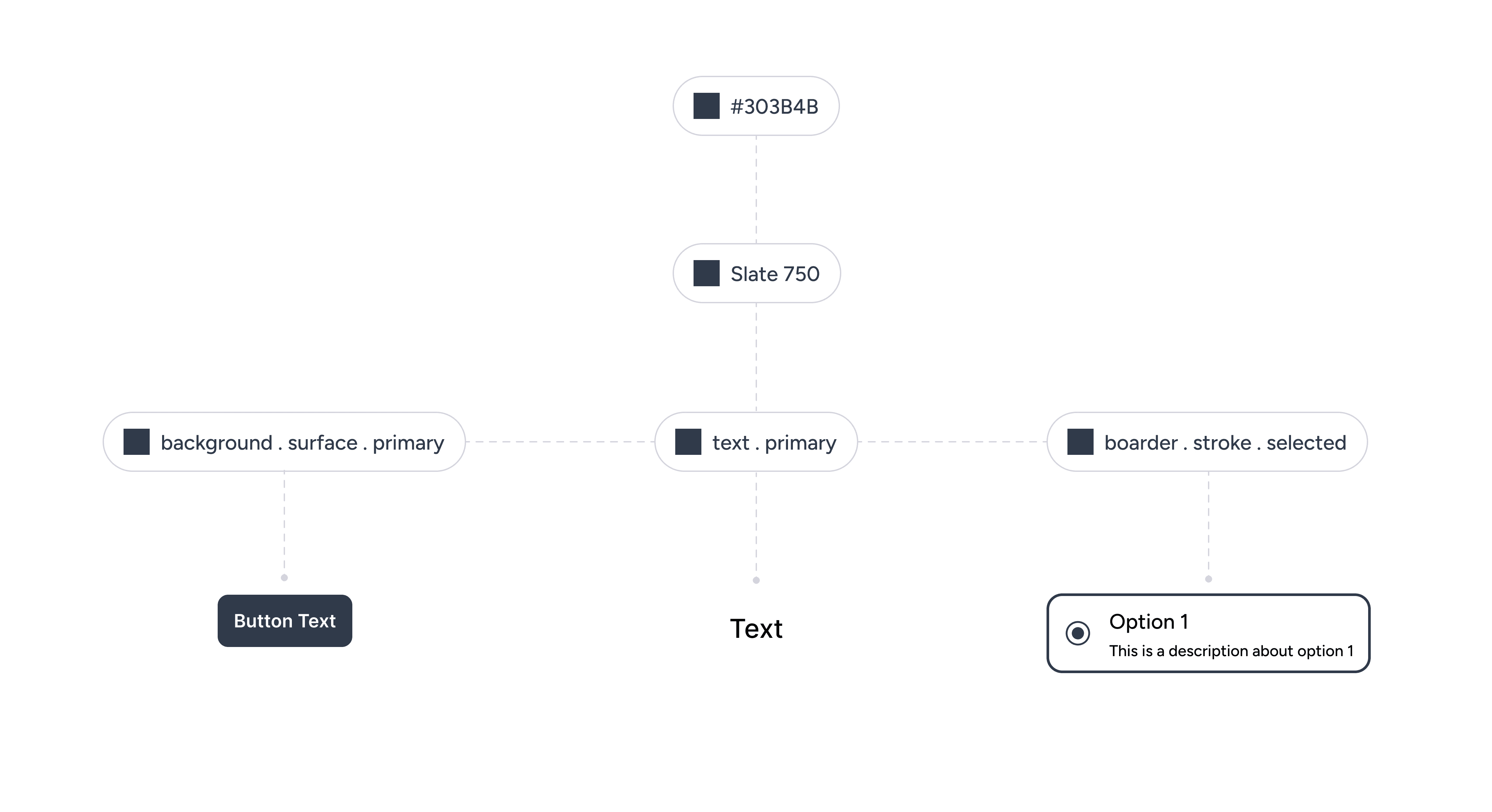
Slide of Design Token Presentation
Component Library
Depending on the business, I identify what is required in their design system. Working to improve existing systems, or building new design systems from scratch, both require working with developers to ensure components can be feasibly developed into Storybook.
A common theme across existing design systems are an excess of components that have been created without verification of their need. This creates outdated components that collect dust and clog documentation, impeding decisions and clarity for development teams. By deprecating unnecessary components, I reduce confusion between designers and developers, streamlining workflows. With new components requested in the product I first consider how existing components are utilised, why a new component is needed, and whether a new component betters the experience for users. If the new component is required, the component is checked with developers and then implemented into the design system.
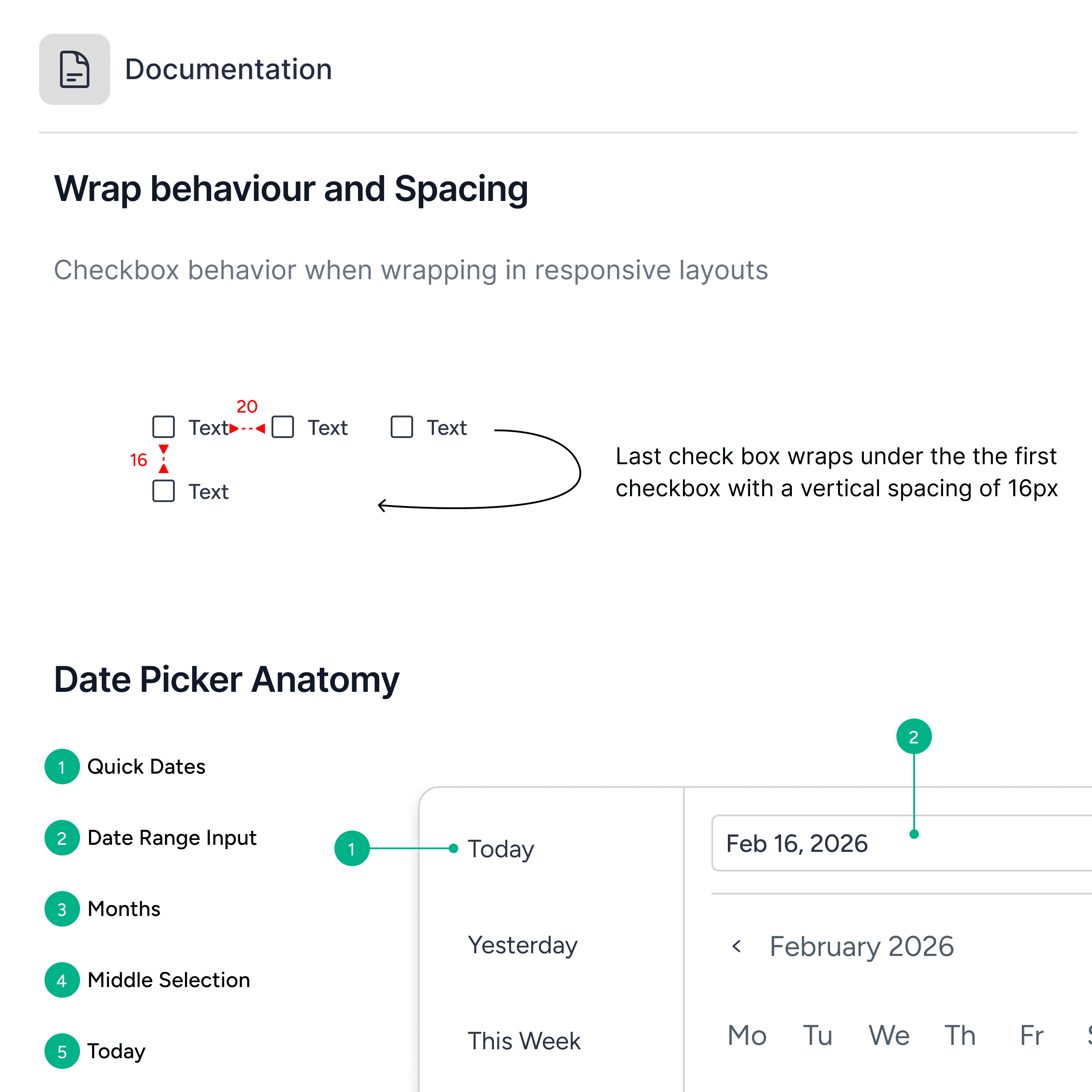
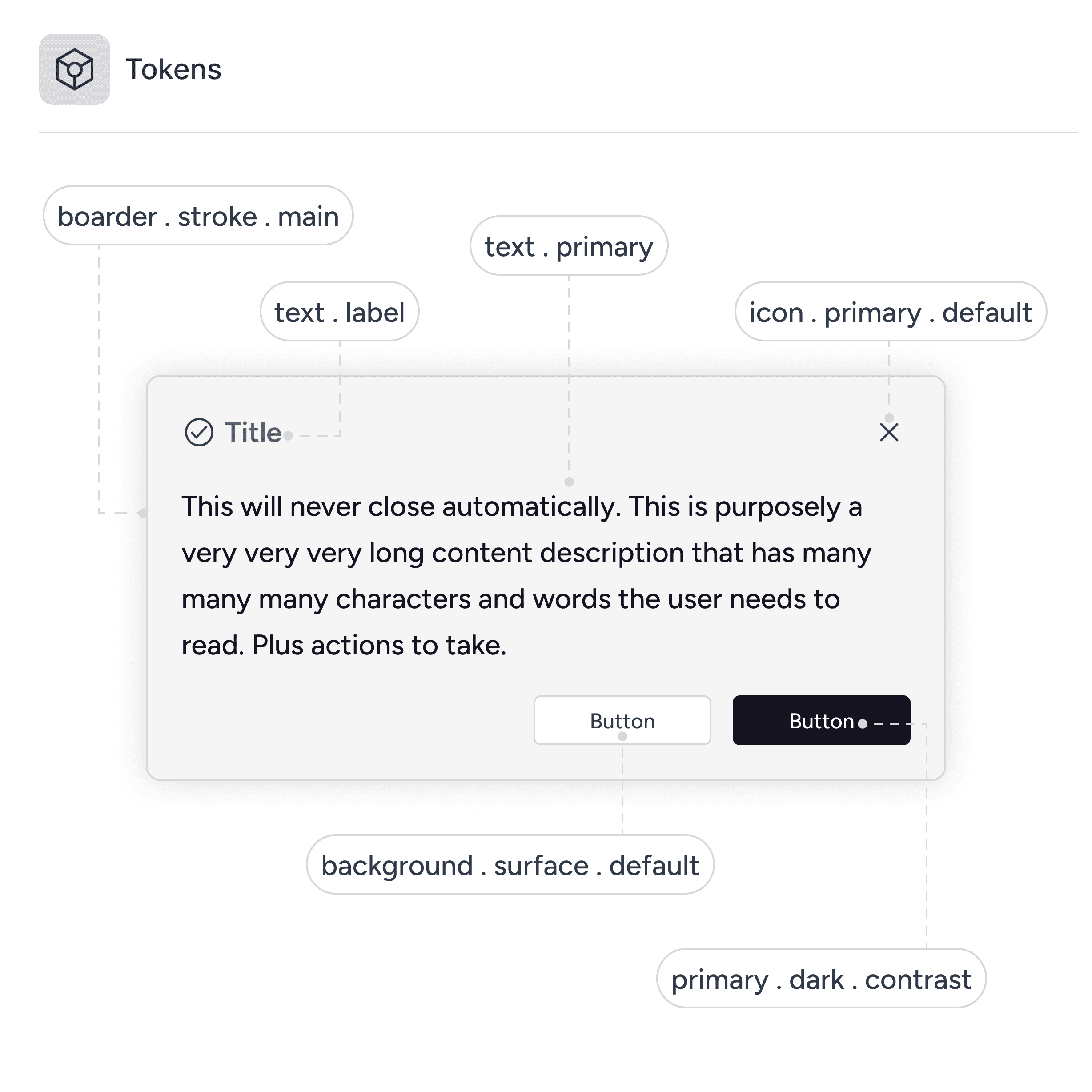
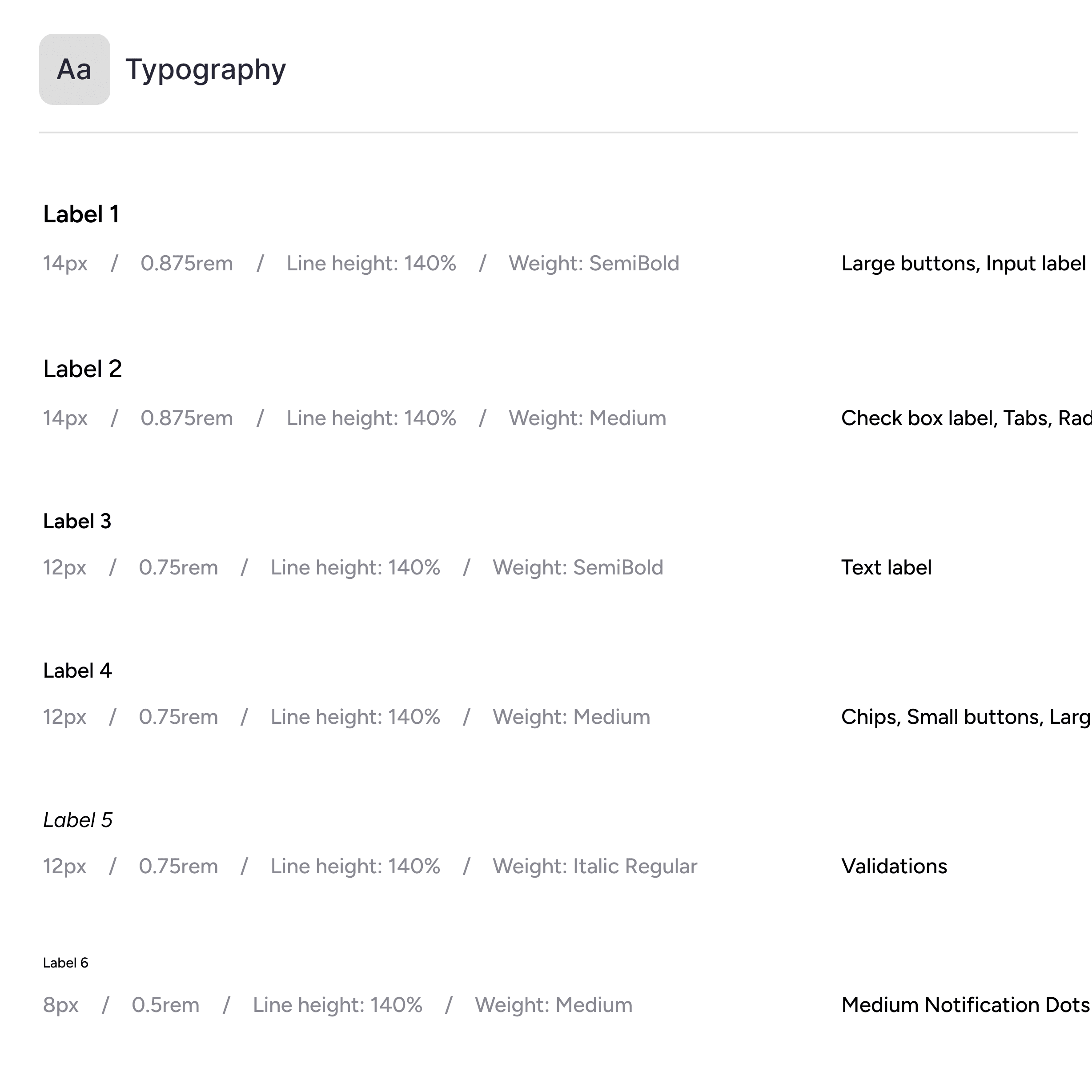
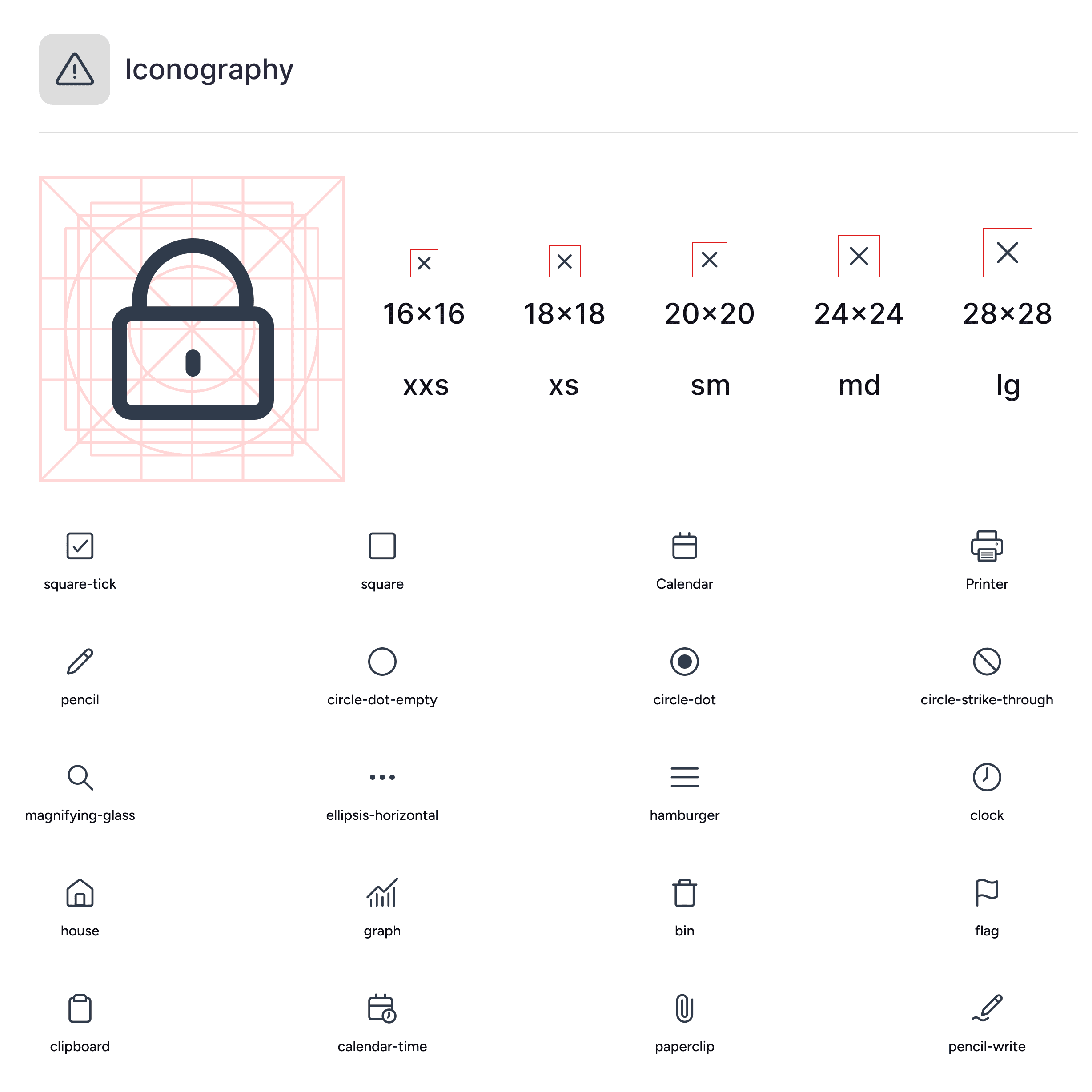
Documentation, Design Tokens, Typography and Icons
A design system is only as good as its adoption
As a designer, it is easier to see the benefits of a design system whereas others may not. I have worked with teams that initially do not see value in a design system or are skeptical of changing an existing system. Using an outdated system makes work slower as developers hard code components and updating changes takes weeks. When businesses are serious about creating industry leading products, leaving inconsistencies and not complying to accessibility standards will result in failure. Having clear and structured documentation allows designers and developers to understand how components are used, standardising and creating consistency across the product. Initial adoption can feel daunting, but simplifying the transition and keeping core design branding allows teams to familiarise themselves quickly.
Results
Design work becomes exponentially faster when using pre built components and styles, and utilising variants and variables in a cohesive design system. Updating components quickly that are applied all around the product and scales with the business stops teams from second guessing their decisions. Growing products find consistency and standardisation between designers and developers, and ensures accessibility standards are met.

Design System
UX/UI Designer
Tools
Figma
Introduction
When products grow faster than a design process can keep up with, components get reinvented sprint by sprint, developers are forced to make poor judgement calls, and onboarding new members to the team becomes a mess.
I create design systems that are built to scale quickly and remove the frustrations of a growing product held back by dysfunctional design processes. I have worked in multiple settings, refreshing component libraries, documentation sites, and governance models that teams immediately use in production.
Audit and Inventory
Before redesigning the system, I go through the product identifying components, patterns, behaviour, and branding elements that could remain core to the design. I identify current user behaviours when interacting with these components and the risks involved if any of these components changed. This is then audited into priority of what the business requires. I aim to create a solid foundation that could be easily built on as the business grows.
Token Architecture
During a transition of design systems, there is an influx of questions on specific colours and formatting which can slow down development. This naturally leads to the adoption of design tokens. Design tokens are complex, but essential to a business that has multiple product teams and large development goals. I simplify my systems to suit the business in the present, with clear structure that can be built on for when the product scales. I present with designers and main FE developers to show how design tokens work and inform them on how they can best activate the teams who will be using them. Each token describes where and how a colour is used within the components, maintaining a unified visual style across a team's design, code, and collaborative efforts.
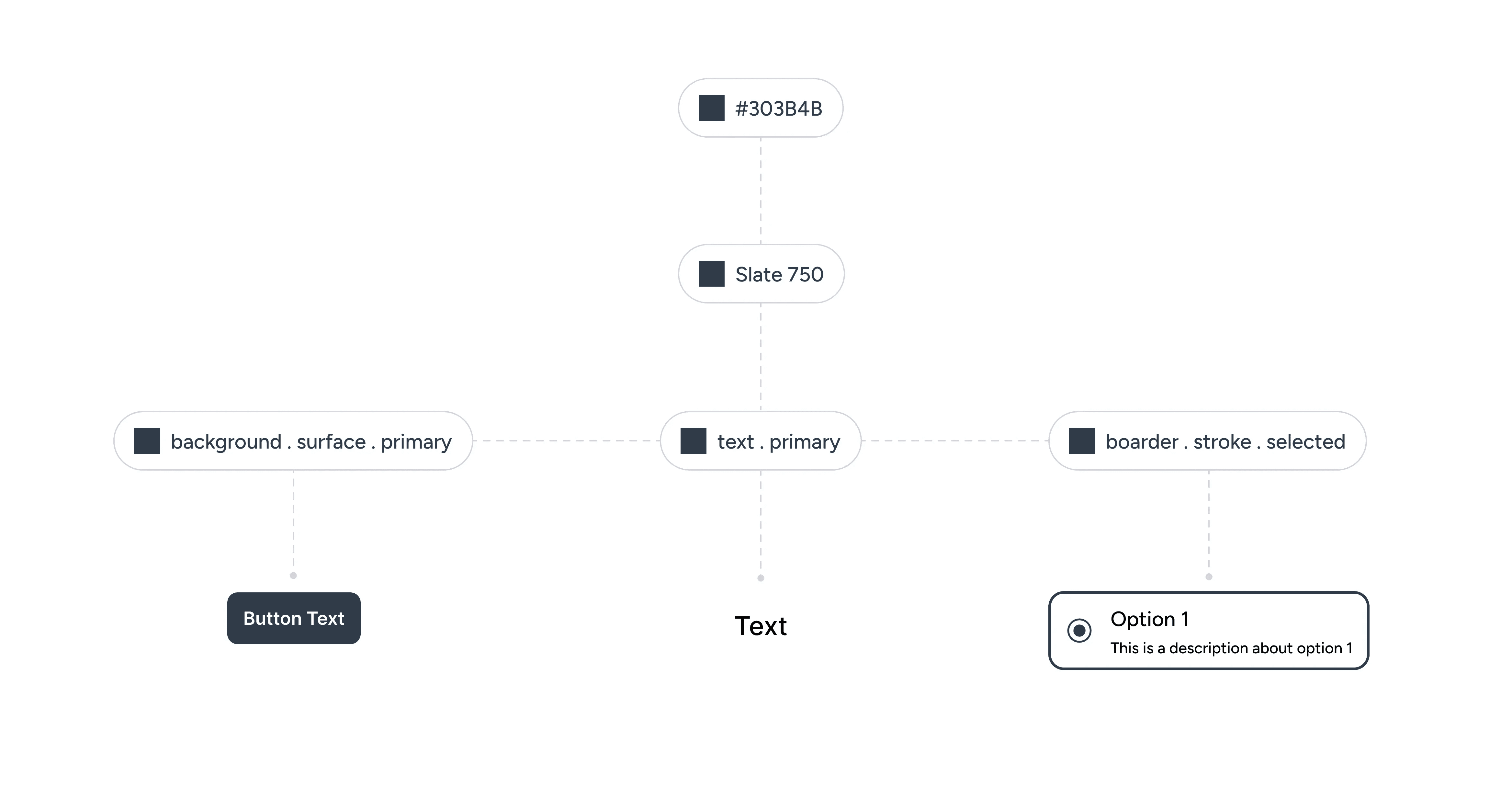
Component Library
Depending on the business, I identify what is required in their design system. Working to improve existing systems, or building new design systems from scratch, both require working with developers to ensure components can be feasibly developed into Storybook.
A common theme across existing design systems are an excess of components that have been created without verification of their need. This creates outdated components that collect dust and clog documentation, impeding decisions and clarity for development teams. By deprecating unnecessary components, I reduce confusion between designers and developers, streamlining workflows. With new components requested in the product I first consider how existing components are utilised, why a new component is needed, and whether a new component betters the experience for users. If the new component is required, the component is checked with developers and then implemented into the design system.
A design system is only as good as its adoption
As a designer, it is easier to see the benefits of a design system whereas others may not. I have worked with teams that initially do not see value in a design system or are skeptical of changing an existing system. Using an outdated system makes work slower as developers hard code components and updating changes takes weeks. When businesses are serious about creating industry leading products, leaving inconsistencies and not complying to accessibility standards will result in failure. Having clear and structured documentation allows designers and developers to understand how components are used, standardising and creating consistency across the product. Initial adoption can feel daunting, but simplifying the transition and keeping core design branding allows teams to familiarise themselves quickly.
Results
Design work becomes exponentially faster when using pre built components and styles, and utilising variants and variables in a cohesive design system. Updating components quickly that are applied all around the product and scales with the business stops teams from second guessing their decisions. Growing products find consistency and standardisation between designers and developers, and ensures accessibility standards are met.